The first thing that you need is a popup. Let’s set that up first.
From the wordpress dashboard, hover over “templates”. Select “Popup”.
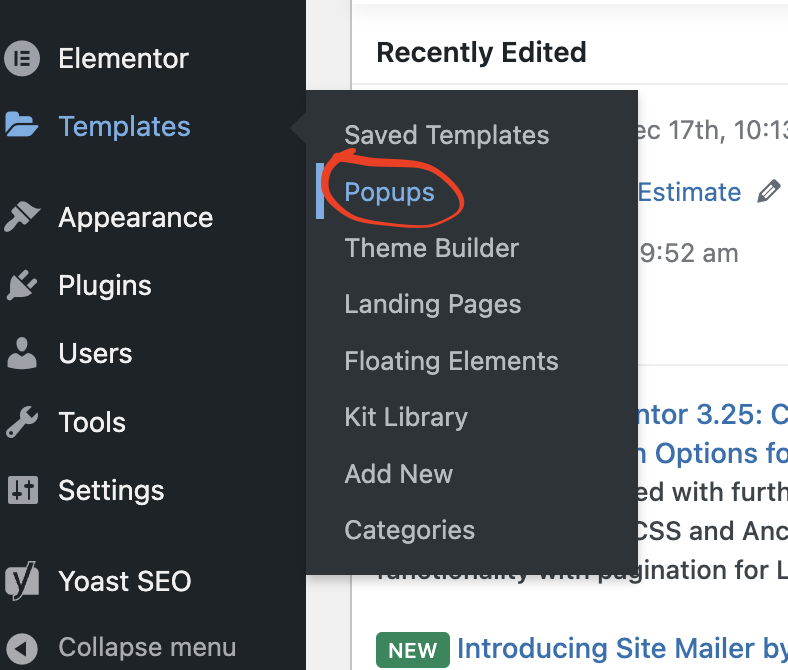
Select “Add new template”

Create a name for your popup. In my example, I used “test popup”
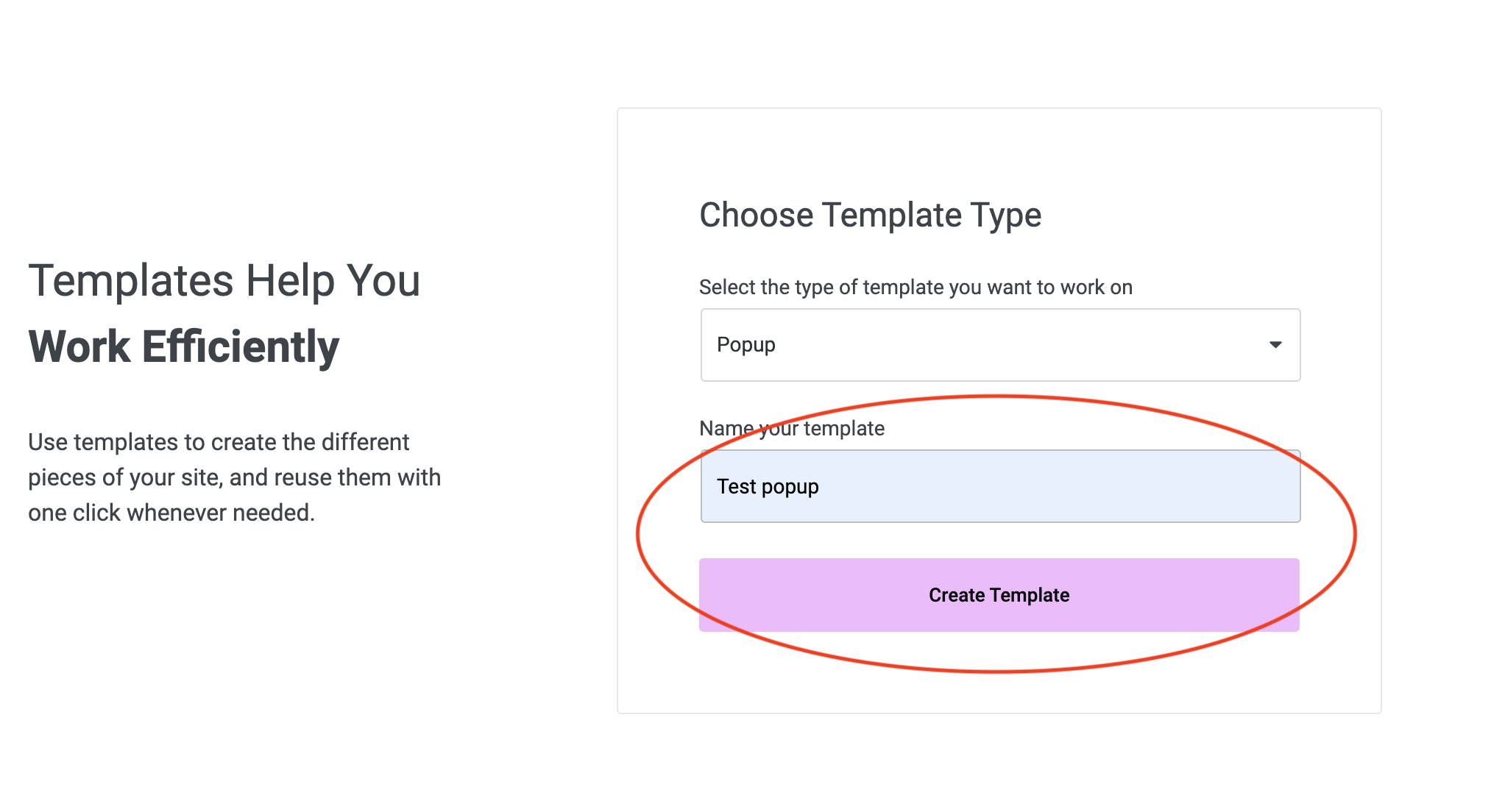
Select “create template”.
From here, you can build from scratch or choose from a list of template popups to customize.

Once finished, publish your popup.
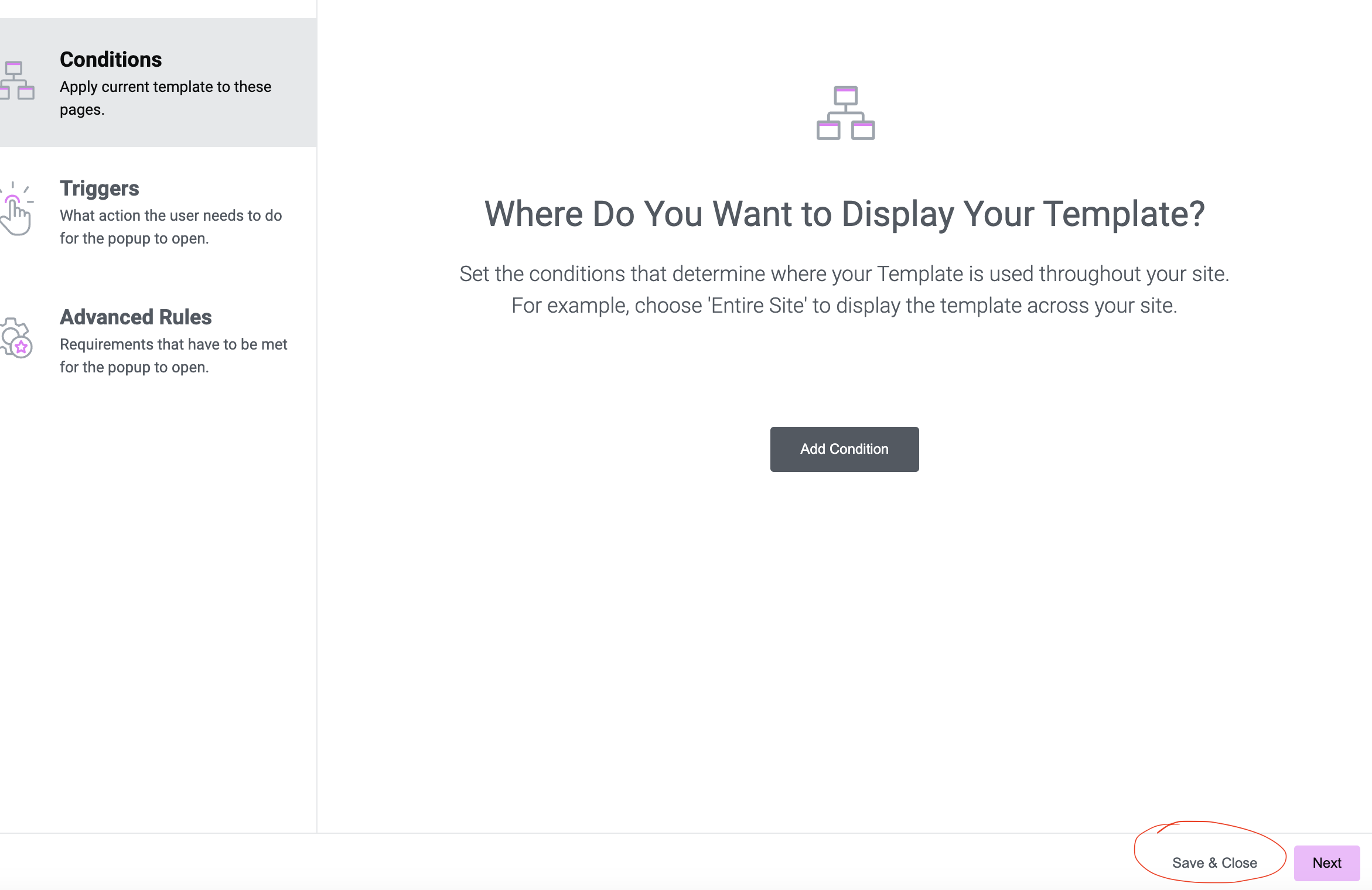
There’s no need to set a display condition since we’re triggering the popup using a button click, so select “save & close” once you’re finished styling your popup:
Now that you have a popup, it’s time to like a button.
Open the elementor editor for the awpage or blog post that contains the button that you wish to link. If your page does not contain a button, add it from the elements tab on the left.

With a button added to your page, click on the button to open up the properties panel on the left:

Under link, select “dynamic tags”

Scroll down and select popup

Next, select the wrench next to popup

Under action, select “open popup”

Type the name of your saved popup,it should auto-fill as you type.
Select your desired popup. Preview or publish to test.
And that should do the trick!